
No app needed for SMS
Any saved contact can read back a one-time code.
Send a one-time check while you're still on the phone: an SMS code to their saved number, or a push with a Confirm button in their Wcall.
The check can only be completed through the saved number or registered device. No confirmation - hang up.
Available in Germany, Poland, the UK, Ireland and the Baltics.
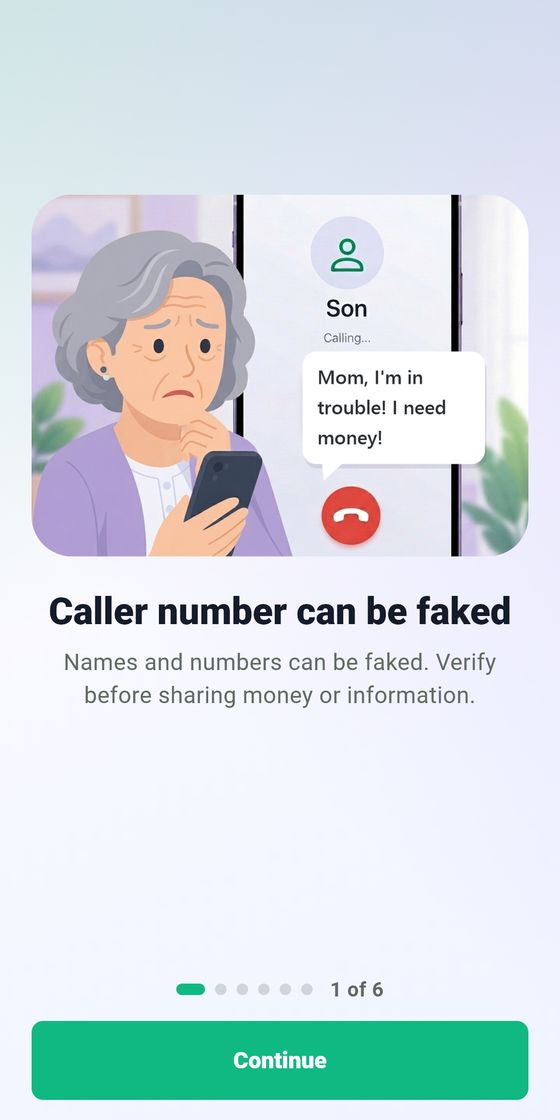
Scammers can fake a phone number or even a familiar voice - Wcall gives your parent a separate way to check.
Install Wcall on both phones and add each other to your Close Circle.
If someone calls pretending to be you, your parent's check reaches your registered device. Confirm or reject it with one tap.
Scammers use urgency and emotion. Wcall gives you a moment of clarity and technical proof.
"I lost my card, please transfer 500." Pause. Send a check. True urgency can wait ten seconds.
A familiar account writes on WhatsApp or Telegram asking for money. Check whether they really control the number before you reply.
The caller sounds like someone close, but the voice, pace or request feels off. Send a check to the known number before acting.
Check any saved contact with an SMS code, or send a free in-app request to someone in your Close Circle.
Use an SMS code to check any saved contact. The other person does not need Wcall. They only need to read back the code sent to their saved number.
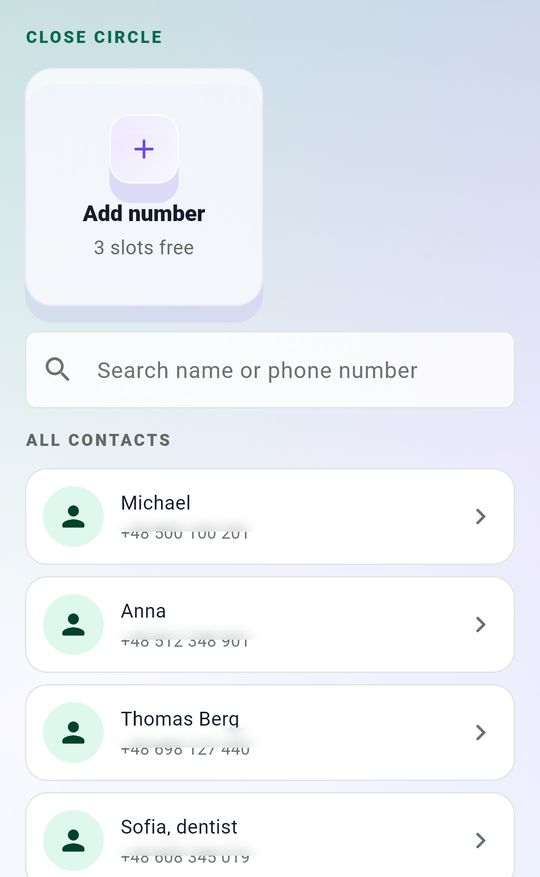
Open Wcall and choose the person the caller claims to be from your contacts.
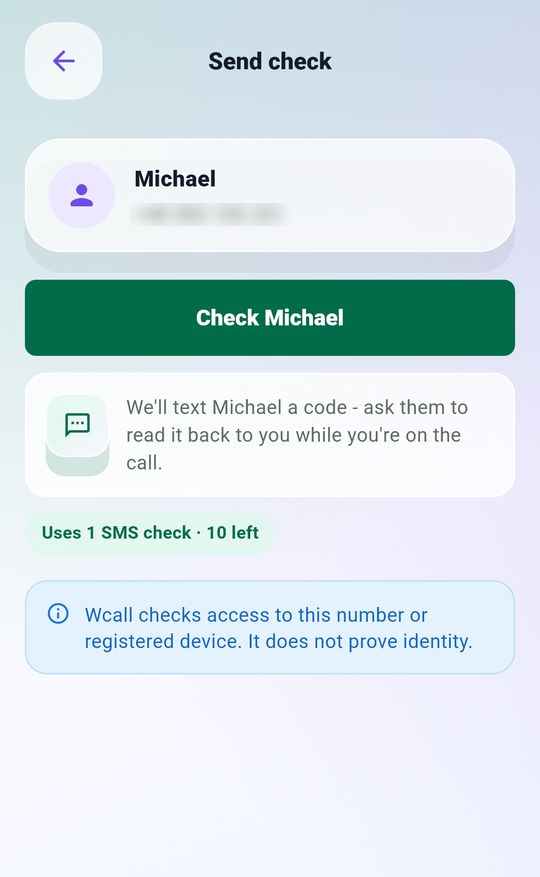
Wcall sends a one-time SMS code to the number you already saved for that person.
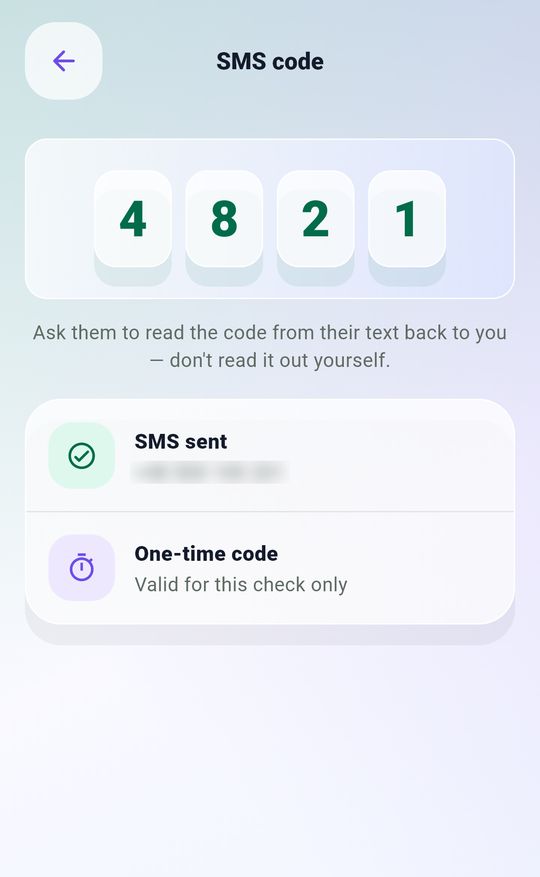
Ask the person on the call to read the code back to you. Never tell them the code first.
This confirms access to the number, not the person's identity.
Hang up — this could be a scam. Don't send money or share personal details. If it might really be them, call back on a number you saved yourself.
Add family members who use Wcall to your Close Circle. If someone calls pretending to be one of them, send a free check to their registered device.
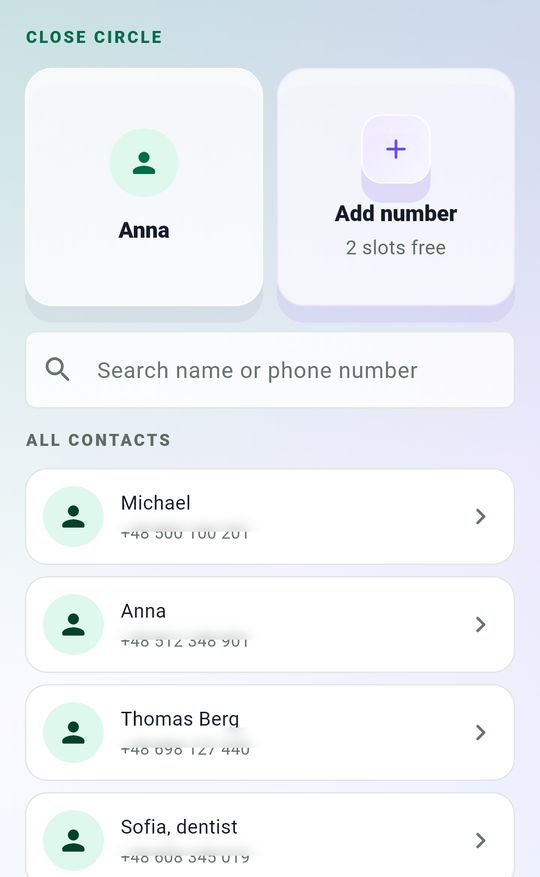
Choose the family member the caller claims to be from your Close Circle.
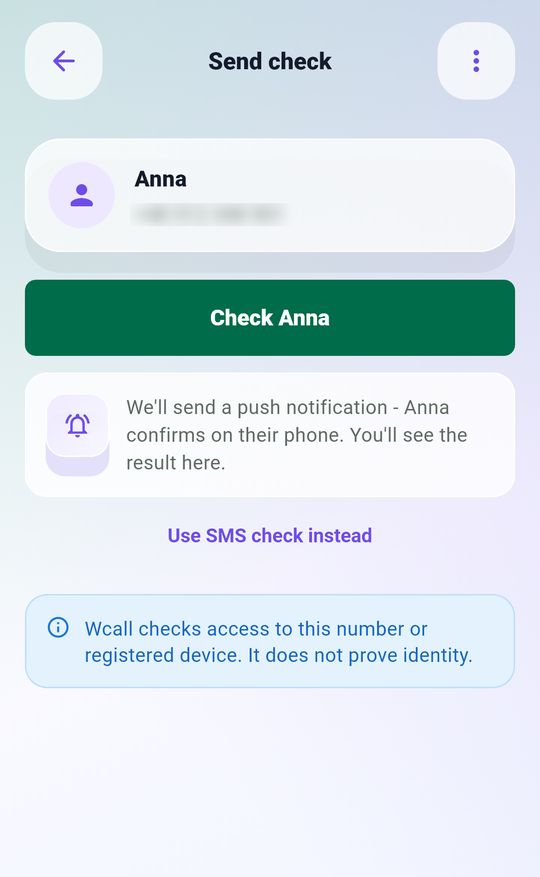
Wcall sends a free confirmation request to that person's registered device.
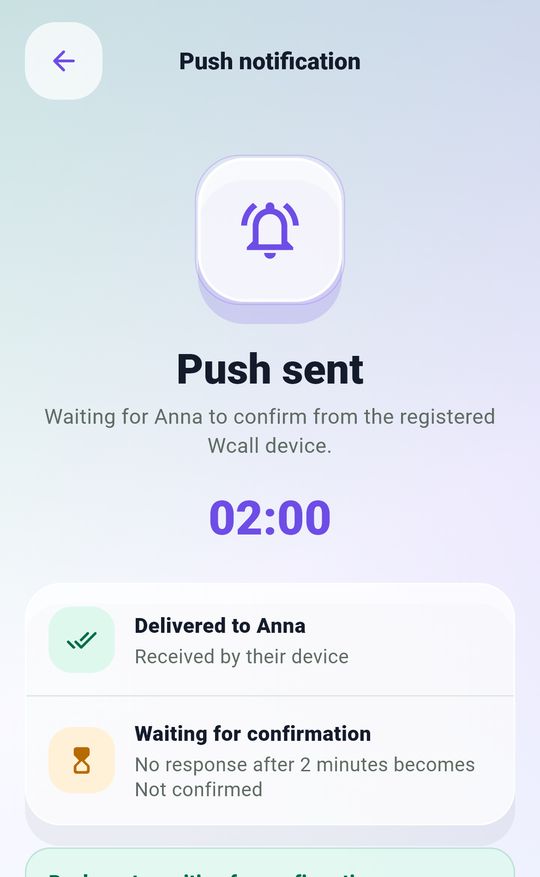
They confirm whether they are calling you with one tap.
This confirms access to the device, not the person's identity.
Hang up — this could be a scam. Don't send money or share personal details. If it might really be them, call back on a number you saved yourself.
The call and the check travel over two different channels.
Wcall replies over a second channel: it sends a one-time check to the number saved in your own contacts - not to whoever is calling. Only someone with access to that number can complete the check.
Scammers always have a reason why the check can't work:
Every one of these means the same thing: hang up and call the number you saved yourself. If the request is genuine, they can confirm it when you call back.
Ending the call is not rude - it's safety. Pressure only works while you stay on the line; a scammer won't call back - they'll move on to an easier target.
Only a confirmation is evidence.
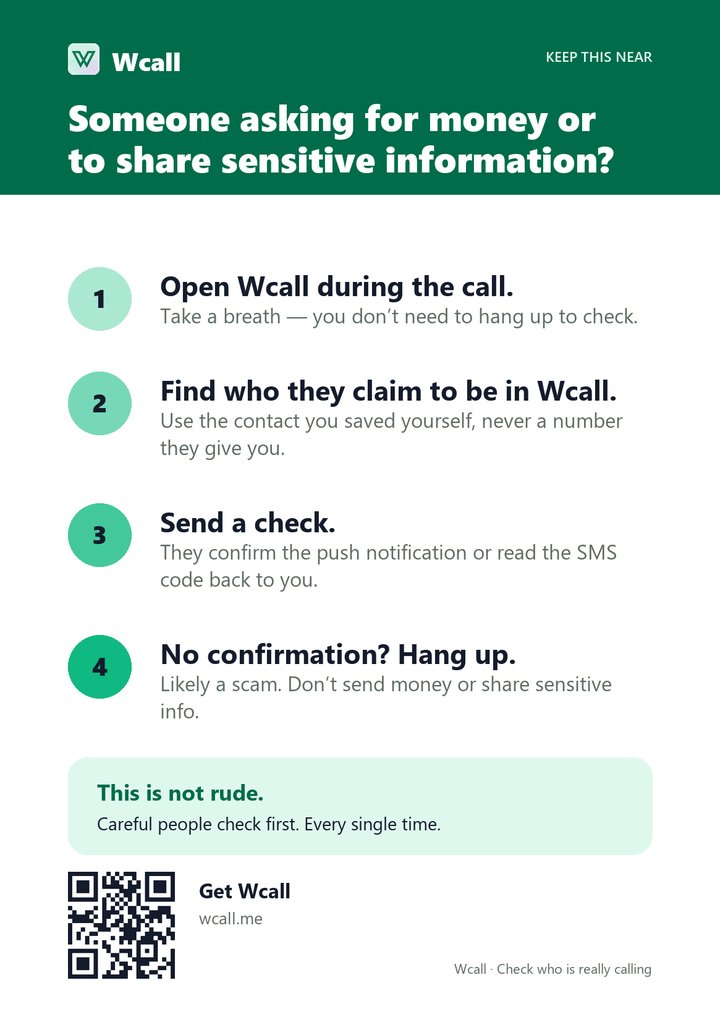
A printable A5 card with four calm steps for a suspicious call. Print it for the family members who will never use an app - the card works even when the phone stays in their hand.
Download the PDFAvailable in English, German, Polish and Russian.
Wcall is on Google Play in Germany, Poland, the UK, Ireland and the Baltics.
Get it on Google Play